How to see email headers on Gmail, Hotmail, AOL Mail and Yahoo
GMail
In Gmail you need to open 'original' email
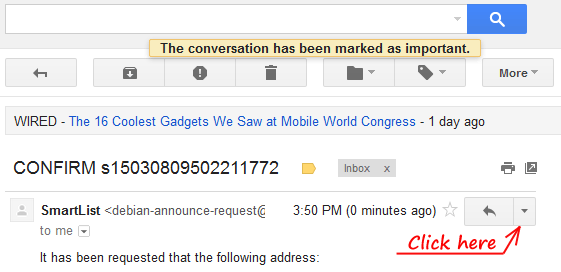
First open an email and click for menu.
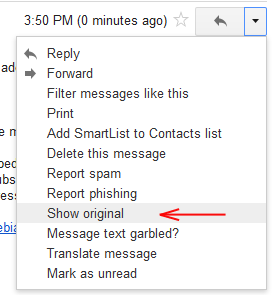
In menu choose 'Show original'
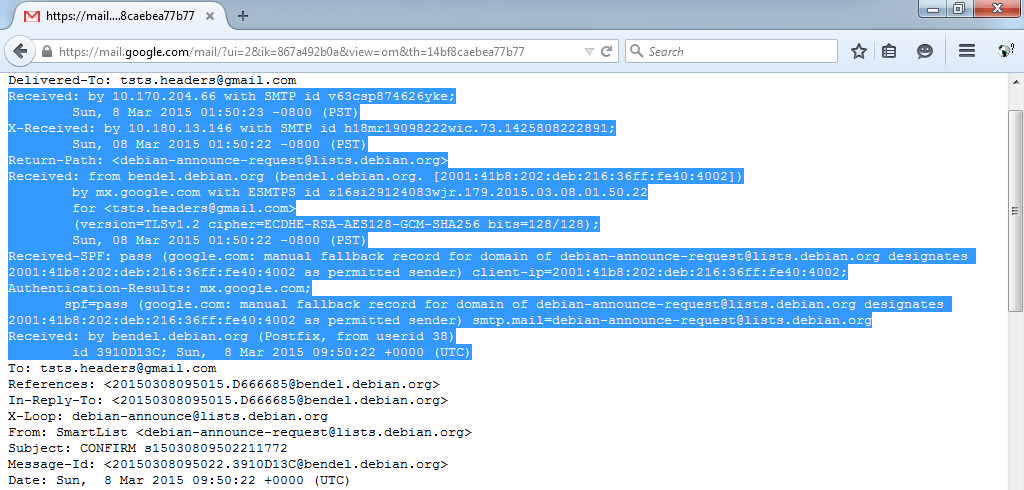
GMail opens original email in new window or tab
Back to email trace guide
Outlook.com former MS Hotmail.
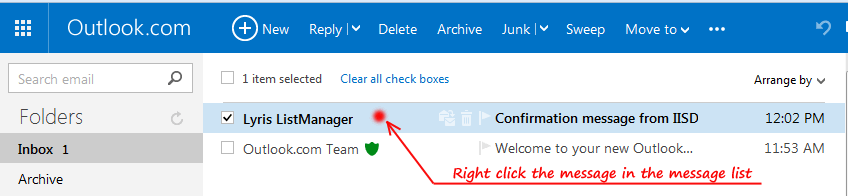
Right-click the message in the message list
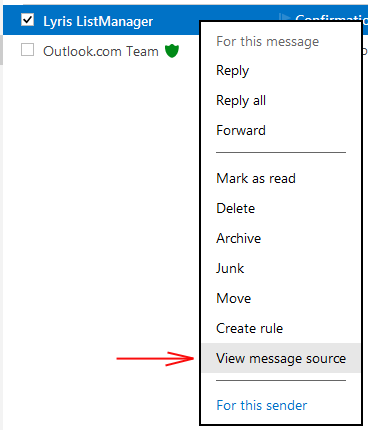
then click View source
Hotmail open new tab to show headers
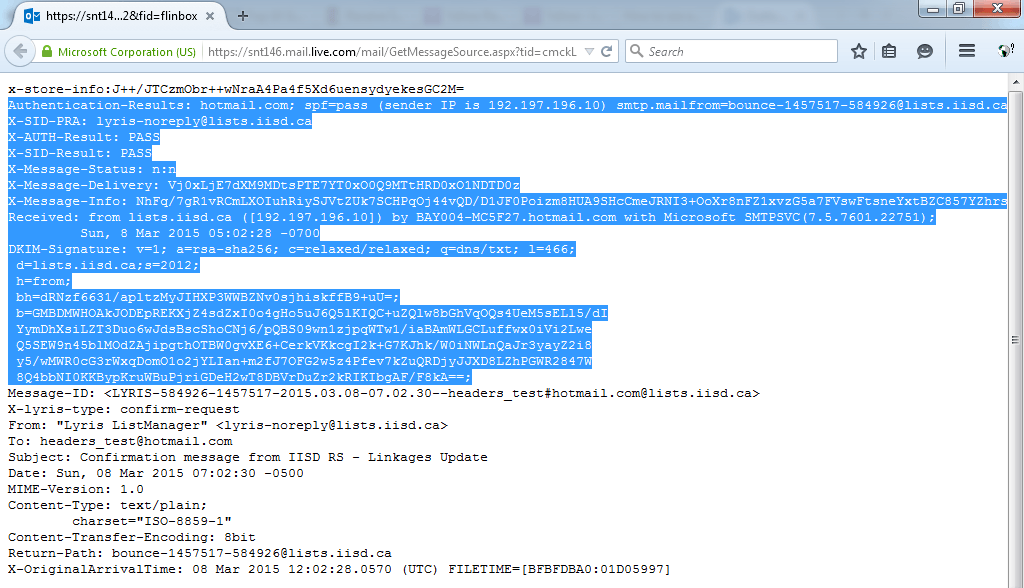
Back to email trace guide
AOL mail
AOL Desktop software does not show headers, so you need to connect to email through WWW.AOL.COM via any browser. The View Message Source from context menu allows seeing headers.

You need right-click the message in the message list
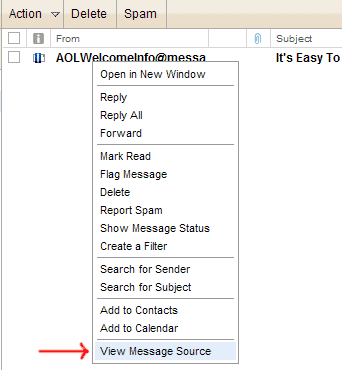
then click View Message Source
AOL open new window to show headers
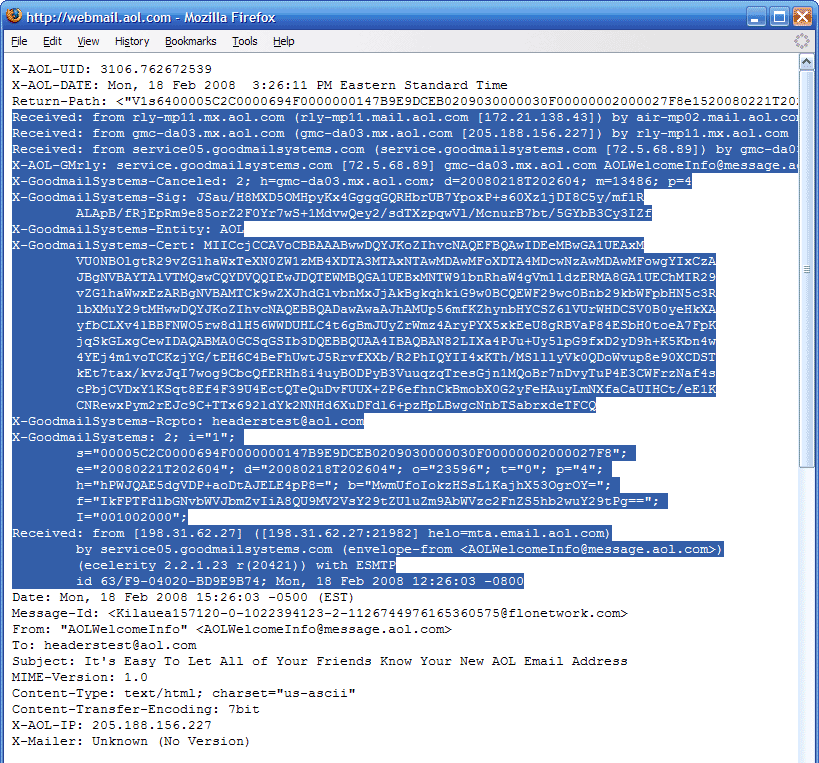
Back to email trace guide
Yahoo Mail
On Yahoo Mail you need to click "View Full header" from menu "More actions..." while you see message.
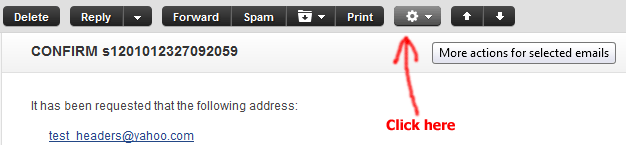
click Compact header first
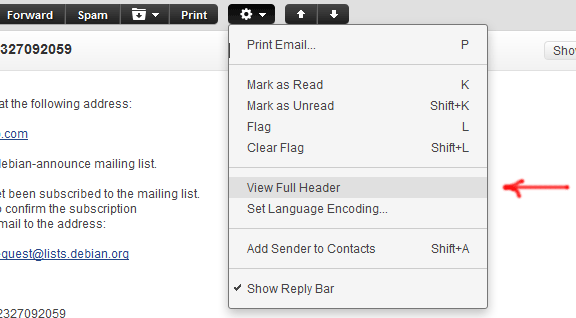
Now choose Full header
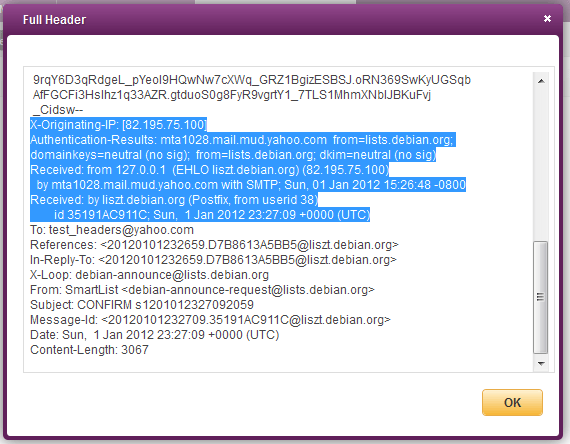
Headers in Yahoo Mail shown in pop up window
Back to email trace guide